
White Papers - NGR Technosys
You have a website idea but don’t know what to do next. Or maybe you have a set of wireframes and need them implemented. No matter your situation, our design professional are ready to help you flesh out your idea and develop a website designed to meet your goals. Utilizing the latest technologies, the end product will be an innovated and intuitive experience for your customers.
Working with you our designers will develop a completely new design and layout to exactly suit you/your clients needs. Once you have approved the design we will upload to your NGRPulse site to give you a unique advanced Web Site.
SHOWCASE:
Easily Manage Structured Content
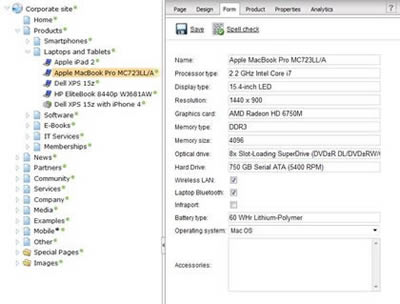
With NGRPulse, you're not limited to predefined document types, such as news or article. Instead, you can create your own document types with custom fields.Structured documents allow you to separate content (data) and design. It also enables content re-use on other site sections or on other web sites in different design.
Create Custom Document Types without Programming
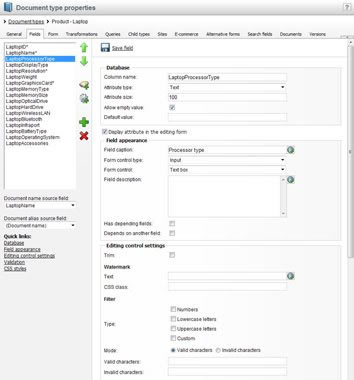
You can define custom document types without any programming. For example, you can define a "product" document type with custom fields describing various product parameters, such as name, short description, long description, price, photo, etc. as shown on the right.
Easily Design Data-entry Forms
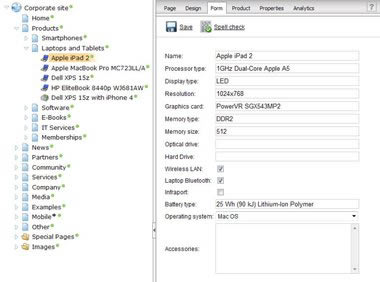
Then the editors can enter content in a structured form that is fully customizable from the user interface - no coding needed. You can choose from a large variety of data types (short text, long text, integer, decimal, boolean, file, date-time, etc.) and from a large variety of field types, including:
- textbox
- HTML editor
- checkbox or checkbox list
- radio buttons
- file upload
- drop-down list
- date-time picker
... and others. You can even build your own field types which is useful for selection from external data or when you need advanced validation rules.
Moreover, you can also fully customize the layout of the data-entry form using browser-based form designer.
Every field has a large number of advanced options, such as design properties or custom validation rules based on regular expressions or custom validation messages.
Re-use Structured Content in Many Ways

The content stored in structure format allows you to display the product information in several ways (catalog preview, short description, full technical details, XML feed, etc.).
Store Content in Standard Database Tables
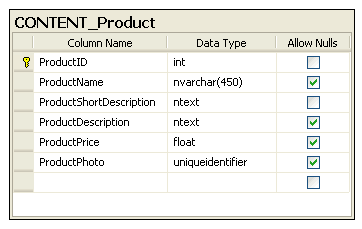
Every custom document type has its own database table that is automatically created by NGRPulse. This architecture provides many advantages over XML-only content storages:
- High performance - standard relational database tables provide much better performance than XML stored in database fields; you can even create your own indexes and optimize database performance.
- Data consistency - all data is typed (text/integer/decimal/etc.)
- Easy querying - you can easily write WHERE and ORDER BY expressions as you know them from SQL instead of using complex and often limiting XSLT expressions; you can also write custom SQL queries for selecting content.
- Easy integration - since the data is stored in standard database tables, you can easily read them by other applications.
Get Feedback on Your Content
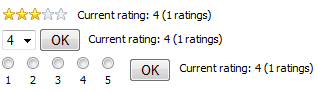
The Content Rating module allows site visitors to rate articles, blog posts, products and any other content type. It gives you feedback on what people like and what they're most interested in.
Product Reviews
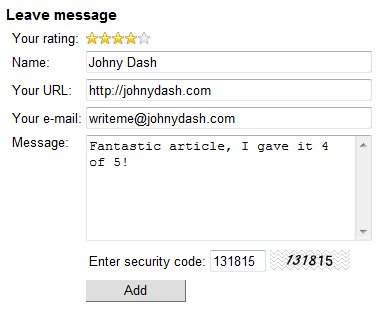
Content rating is also integrated in the Message Boards, so you can use them for customer reviews of products on your website.
Avoid Overwriting Someone Else's Work

When creating content in teams, it may happen that multiple users want to edit the same content at the same time. To avoid concurrent editing and overwriting of someone else's changes, NGRPulse comes with content locking support. It allows your editors to check out content before editing so that it is not available for editing by other users until it is checked back in.
Simple Check-out/Check-in
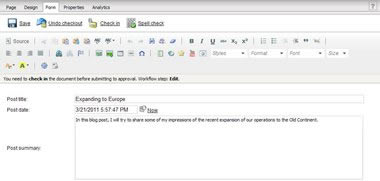
A document can be locked for editing (checked out) directly in the document editing interface, using just one click. After editing, another single click is all that's needed to check the document back in and make it available to other users.
Integration with Workflow
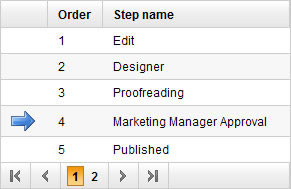
Content locking can be enabled globally or it can be used just with a particular workflow, where it is only enabled for documents in its workflow scope.